Sign up for PayPal and start accepting credit card payments instantly.

Twitter Updates

    follow me on Twitter
    Showing posts with label Illustration. Show all posts
    Showing posts with label Illustration. Show all posts

    Sunday, March 8, 2009

    FREE Mac Graphics Software

    This is for all of you Macintosh fans. There are lots of great quality FREE programs for Mac users as there are PC users. This is a list of some of the best of the best for the Mac users..

    I hope you enjoy this collection I found. Peace my friends, Geronimo Rubio.

    Animation

    Lego Digital Designer
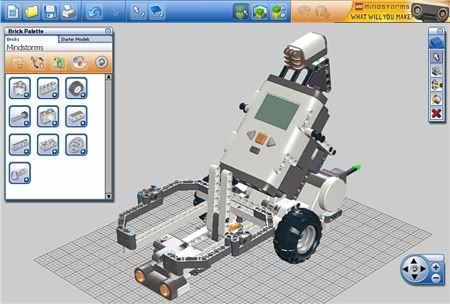
    Lego Digital Designer

    The LEGO Group of companies (LEGO) is providing LEGO® Digital Designer 2 (the Software) at no charge. Any commercial use of the software is strictly prohibited. The entire risk arising out of the use or performance of the software remains with you. The software is provided as-is without any warranty of any kind. The entire risk arising out of use or performance of the software remains with you. To the maximum extent permitted by applicable law, in no event shall the LEGO Group of Companies (including LEGO Systems A/S) and its suppliers and licensors, be liable for any damages arising out of the use or inability to use the software. To install and use the software, you must agree to the terms of the LEGO Digital Designer 2 License Agreement included with the software. Please be sure to read the License Agreement before installing LEGO Digital Designer 2 on your system.

    Minimum System Requirements for PC
    Operating system: Windows XP or Vista.
    CPU: 800 MHz processor or higher
    Graphics card: 32 MB graphics card (OpenGL 1.1 or higher compatible)
    RAM: 256 MB
    Hard Disk Space: 100 MB

    Minimum System Requirements for Mac
    Operating system: OS X 10.3.9 or 10.4.6.8
    CPU: G4, 1 GHz or faster processor, or Intel processor
    Graphics card: NVidia GeForce 5200/ATI Radeon 7500 or better (not integrated)
    RAM: 512 MB
    Hard Disk Space: 100 MB

    Download


    Authoring Tools

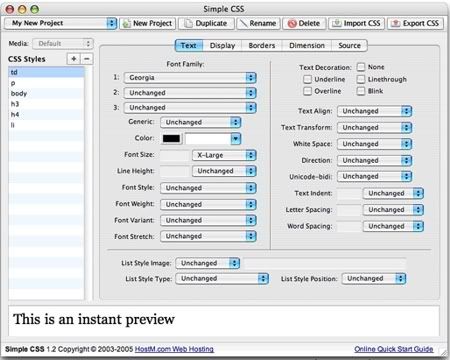
    Simple CSS 2

    Simple CSS 2

    "A Free CSS Authoring Tool"
    EditByBrothersoft: Cascading Style Sheets (CSS) is a good way to specify the styles of fonts and other page elements on your sites. It makes it easier for you to update styles too, because when done right, you only need to make a single change to update the styles on multiple pages and elements.

    Another bonus is that your visitor's browser needs to load less data per page, helping you reduce your data transfer usage while serving the same information. That means you'll be able to accommodate more site visitors without having to spend more on data transfer. Your pages will also load faster.

    To help you work with CSS, we've created a free tool called Simple CSS, which runs on Macs, Windows and Linux. Simple CSS allows you to easily create Cascading Style Sheets from scratch, and/or modify existing ones, using a familiar point-and-click interface.

    With Simple CSS, you can manage multiple CSS projects and import your existing style sheets. Simple CSS supports C
    SS2. you can free download Simple CSS 2 now.

    Download

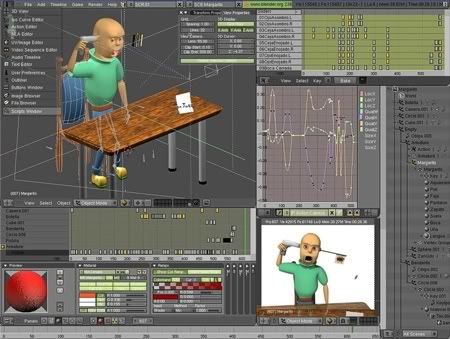
    Blender (PowerPC) 2.46

    Blender (PowerPC) 2.46

    Overview: Blender is the first and only fully integrated 3D graphics creation suite allowing modeling, animation, rendering, post-production, realtime interactive 3D and game creation and playback with cross-platform compatibility - all in one tidy, easily and free downloadable package! This software is open-source and licensed under GPL. Sources are available from the developer site.

    Download

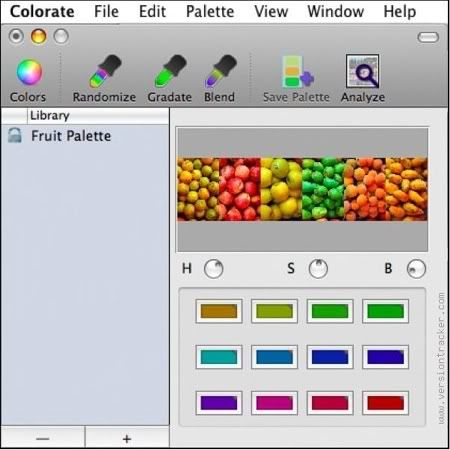
    Colorate 1.1

    Colorate 1.1

    Colorate is a donationware utility for creation of harmonic color palettes, aimed from hobbyst to professiona designers. Colorate fully automatizes the palette generation from a particular color swatch, selected from the standard Color Panel, dragged from other application or obtained from an image through the integrated Image Analyze feature. Once the palette has been generated, it is posible to add the new palette to the Library. Colorate can save and open as many Libraries as you want. Colorate also lets save the selected palettes as standard â??.clrâ?? system palette files. This feature enables you to use any of the generated palettes from any Cocoa application that uses the standard Color Panel for color selection.

    Download

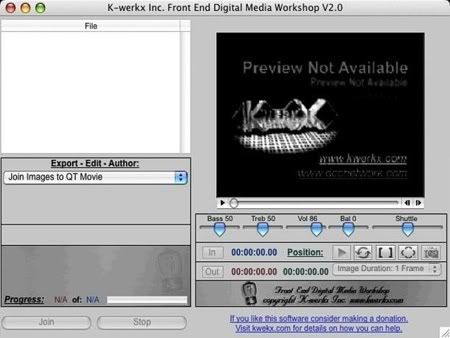
    Front End Digital Media WorkShop 2.0

    Front End Digital Media WorkShop 2.0

    Front End Digital Media Workshop harnesses the power of QuickTime to bring you powerful batch based conversion of sound, video, and image files. Resize, resample, join, split, trim, basic edits, selective conversions via marked I/O points are some of the tools. All in an environment that provides powerful play back features including variable speed, slow motion, full screen playback and video to image frame capture. Batch lists can be saved and also used as play lists. Some of the dozens of supported formats include: MP4, MOV, AIFF, 3GP, 3GP2, WAV, AU, AVI (basic codecs), JPEG, PICT, PNG, PSD, BMP, and TIFF. QuickTime video filters and effects are also available.

    Download

    HyperEngine-AV 1.5

    HyperEngine-AV 1.5

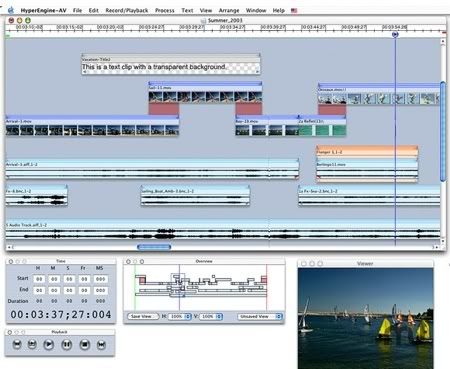
    Multimedia authoring software for capturing, editing, organizing, processing, and exporting video, audio, and text to create DVD quality movies and slide shows. Features a groundbreaking "trackless" workspace that allows the free manipulation of an unlimited number of video, audio, stills, and text tracks. Editable transitions are created automatically when video clips are dragged on top of each other. The full palette of QuickTime effects is available. HyperEngine-AV comes with twelve studio-quality effects from Arboretum's Hyperprism suite of audio processors. More can be added by purchasing a license, including Ray Gun for cleaning up scratchy vinyl, tape hiss, and hum.

    HyperEngine-AV also offers text features to display credits, section titles, or karaoke lyrics with fully editable font, size, type, color, style, alignment, and scroll direction. HyperEngine-AV is for both novice digital moviemakers and professionals alike.

    Download

    Illustration

    DAZ Studio 2.2.2.15

    DAZ Studio 2.2.2.15

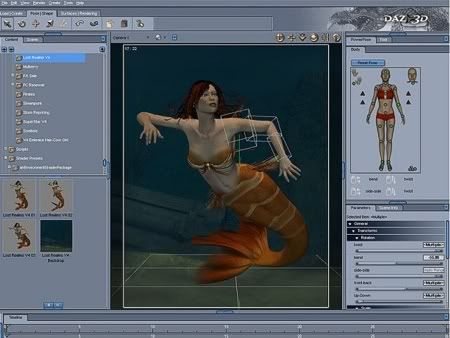
    DAZ Studio is free 3D software that allows anyone to liberate their creative genius. We strive to make DAZ Studio easier to use, but without sacrificing features and quality. DAZ Studio delivers images equal to or better than software costing hundreds of dollars. It's professional quality software for free!

    Lip-sync

    • The ability to create lip-syncs are now available and included in this release! You start with some of the sound files included in DAZ Studio or create your own to see your favorite figure lip-sync.
    • Lip-Sync provides the ability to show your figure speaking or singing along with facial animations and gestures. Quickly and easily load your figure and sound files, then Lip-Sync does all the work to "sync" up your figure's facial and mouth movements with the associated sound file and time line. In no time, you have a fun and fanciful animation using Lip-Sync and DAZ Studio.
    • More specifically, you now have the ability to load audio and DMC files from
      Mimic directly into DAZ Studio to animate the figure for speech synthesis. Audio can also be recorded directly to the Lip Sync plug-in and applied to the figure. DAZ Studio provides the option to load Mimic Pro and edit the animation there and then update the animation in DAZ Studio. If you do not have Mimic Pro, you can purchase it through our online store.

    Overview | Download

    Google SketchUp 7

    Google SketchUp 6

    Google SketchUp 7

    Create 3D models and share them with the world

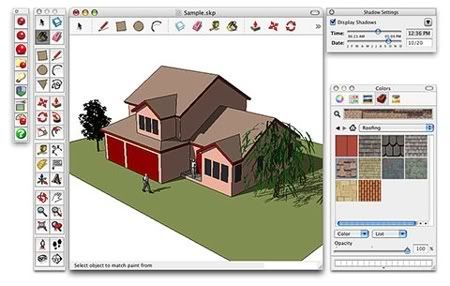
    Google SketchUp is software that you can use to create 3D models of anything you like.

    Get started right away.

    Most people get rolling with SketchUp in just a few minutes. Dozens of video tutorials, an extensive Help Center and a worldwide user community mean that anyone who wants to make 3D models with SketchUp, can. Check out our training videos »

    Model anything you can imagine.

    Redecorate your living room. Design a new piece of furniture. Model your city for Google Earth. Create a skatepark for your hometown, then export an animation and share it on YouTube. There's no limit to what you can create with SketchUp.

    Get models online for free.

    You can build models from scratch, or you can download what you need. People all over the world share what they've made on the Google 3D Warehouse. It's a huge, searchable repository of models, and it's free. Explore the Google 3D Warehouse »

    Learn about what's new in SketchUp 7 »

    See a list of powerful features in SketchUp »

    Do even more with Google SketchUp Pro »

    Overview | Download

    POV-Ray

    POV-Ray

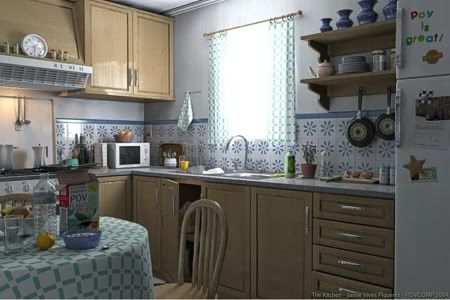
    POV-Ray is a three-dimensional ray tracing engine. It takes information you supply and simulates the way light interacts with the objects you’ve defined, creating stunning 3D pictures.

    The Persistence of Vision Raytracer is a high-quality, totally free tool for creating stunning three-dimensional graphics. It is available in official versions for Windows, Mac OS/Mac OS X and i86 Linux. The source code is available for those wanting to do their own ports.

    Overview | Download

    Comipro Plus 4.0.2

    Comipro Plus 4.0.2

    Comipro Plus is a cartoon production software. You can produce the cartoon work with the kind of feeling which compiles the document with the word processor as the material using the picture and the photograph. Version 4.0.20 may include unspecified updates, enhancements, or bug fixes.

    Download

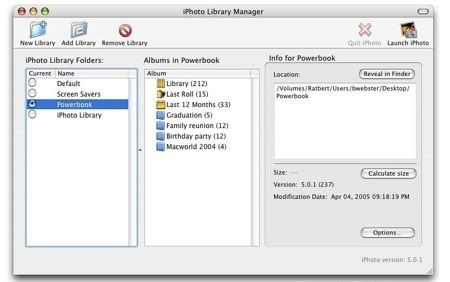
    iPhoto 4.0.3

    iPhoto 4.0.3

    Digital cameras are revolutionizing the way we take pictures. Now, Apple provides the missing link to revolutionise the way we save, organise, share and enjoy them. You can do more with your digital pictures using iPhoto 1.1.1 than ever before.

    iPhoto lets you import your pictures from your digital camera, organise them, edit and improve them, and share them in a number of different ways. And once you see what iPhoto can do with digital pictures, you may never go back to using a film camera again.

    Just plug your camera into Mac's USB port and iPhoto automatically imports your photos, catalogues them, stores them and displays them on your screen. Simply drag your mouse, and iPhoto magically grows or shrinks your photo thumbnails right before your eyes.

    You can view individual shots in greater detail for precise cropping. Or see hundreds of photos on the screen at once, and quickly scroll through thousands to find the one you're looking for. Gone are the days of scavenger hunts to find pictures on your hard drive or in boxes and albums stacked in the closet.

    This download allows you to use this software product absolutely free-of-charge with no restrictions.

    Minimum System Requirements:

    • 400MHz G3 processor or better.
    • Compatible camera, printer or other device.
    • Macintosh with built-in USB ports.
    • 256 MB RAM recommended

    Download

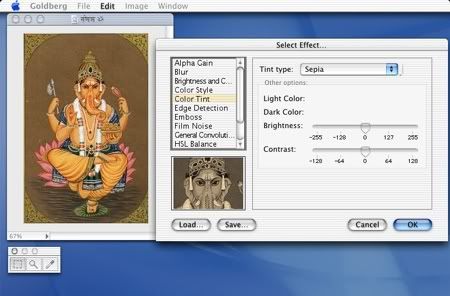
    Goldberg 2.3.2

    Goldberg 2.3.2

    Goldberg is a freeware image and movie viewer with image-editing capabilities and support for applying QuickTime and other effects. It offers rotation capabilities, free zooming, and undo support. Version 2.3.2 fixes a problem with reading multilayer image files as Photoshop documents. It also fixes a problem with corrupted Preferences files, and the PDF item in the pop-up format in the export dialog box has been removed.

    Download

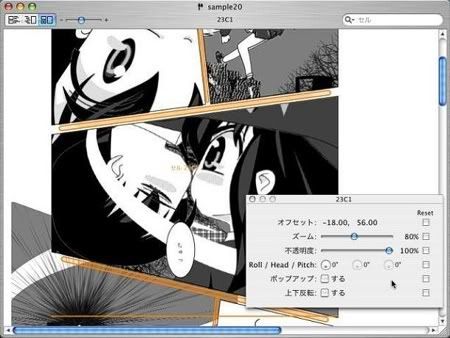
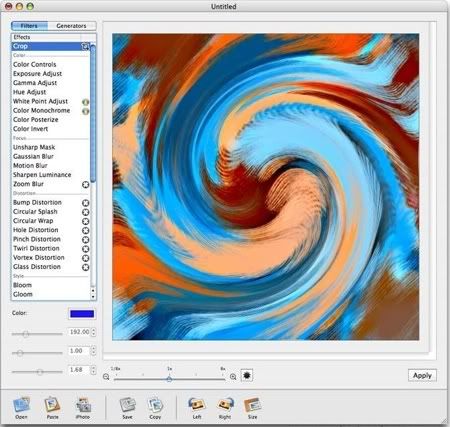
    Image Tricks 2.3.3

    Image Tricks 2.3.3

    Image Tricks Pro is an application to edit and generate images. It uses Mac OS X Core Image filters that transform photos and pictures to unimaginable extent.

    Various mathematical algorithms let you generate unique images. Created artwork can be used as a background, web-design illustration, for print materials and more.

    Try the Freeware version and if you like it you can purchase a license code to activate Pro version filters and generators for just $8.95.

    Features:
    • Easy to use and friendly Interface.
    • 54 Core Image Effects and Filters (48 in Free version).
    • 19 image generators (12 in Free version).
    • more...Import over 20 image formats (TIFF, JPEG, GIF, PDF, EPS among them).
    • Export to TIFF, JPEG, PDF, PNG and GIF formats.
    • OpenGL acceleration supported.
    • iPhoto integration.
    • Universal Binary version allows to run natively on both PowerPC and Intel-based Macintosh computers.

    WHAT'S NEW
    Version 2.4:

    4 filters for both Mac OS X 10.4 and 10.5:

    • Transform;
    • Bi-Color (Pro version), False Color (Color category);
    • Square Tile (Tile category, Pro version);
      • 13 Leopard (Mac OS X 10.5) only filters:
    • Comic Effect (Color category);
    • Box Blur, Disc Blur (Focus category, in Blur group);
    • Bump Distortion Linear (Distortion category);
    • Line Overlay (Style category);
    • Fourfold Rotated, Fourfold Translated, Glide Reflected (Tile category, Tiled Textures group);
    • Eightfold Reflected, Fourfold Reflected, Sixfold Reflected, Sixfold Rotated (Tile category, Reflected Textures group);
    • Bars Swipe Transition (Overlap category, Pro version).
    Improvements: Export and Save changes, option to use OpenGL acceleration affects image

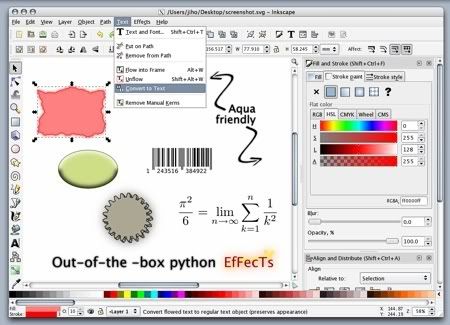
    Inkscape 0.45

    Image Tricks 2.3.3

    Inkscape is an Open Source vector graphics editor, with capabilities similar to Illustrator, Freehand, CorelDraw, or Xara X using the W3C standard Scalable Vector Graphics (SVG) file format. Supported SVG features include shapes, paths, text, markers, clones, alpha blending, transforms, gradients, patterns, and grouping. Inkscape also supports Creative Commons meta-data, node editing, layers, complex path operations, bitmap tracing, text-on-path, flowed text, direct XML editing, and more. It imports formats such as JPEG, PNG, TIFF, and others and exports PNG as well as multiple vector-based formats. Inkscape’s main goal is to create a powerful and convenient drawing tool fully compliant with XML, SVG, and CSS standards. We also aim to maintain a thriving user and developer community by using open, community-oriented development process, and by making sure Inkcape is easy to learn, to use, and to extend.

    Overview | Download

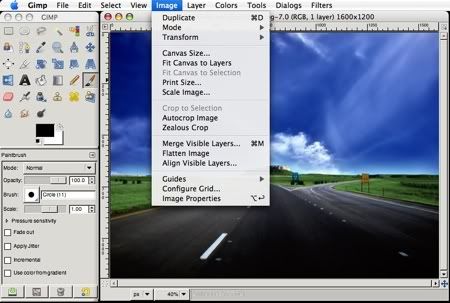
    GIMP 2.4

    GIMP 2.4 MAC OS  X

    GIMP is an acronym for GNU Image Manipulation Program. It is a freely distributed program for such tasks as photo retouching, image composition and image authoring.

    It has many capabilities. It can be used as a simple paint program, an expert quality photo retouching program, an online batch processing system, a mass production image renderer, an image format converter, etc.

    GIMP is expandable and extensible. It is designed to be augmented with plug-ins and extensions to do just about anything. The advanced scripting interface allows everything from the simplest task to the most complex image manipulation procedures to be easily scripted.

    GIMP is written and developed under X11 on UNIX platforms. But basically the same code also runs on MS Windows and Mac OS X.

    Overview | Download

    Downloads

    There are various ways to obtain and install GIMP for your Macintosh. In addition to the source code distribution here on www.gimp.org, there are various alternative sources for packaged and even commercially distributed CDs, which aim to make installation and setup an easier task. These include:

    iFastViewer
    iFastViewer

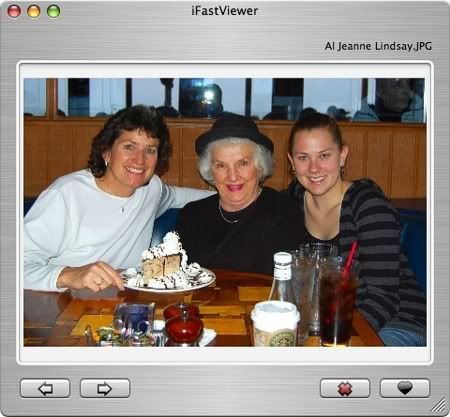
    iFastViewer is an easy and fast viewer for your pictures with optimized interface. It allows to select photos “on-the-fly” and locate them in the Finder (with move, copy, and delete options). The program code is also available under General Public Licence.

    Overview & Download

    Media Management

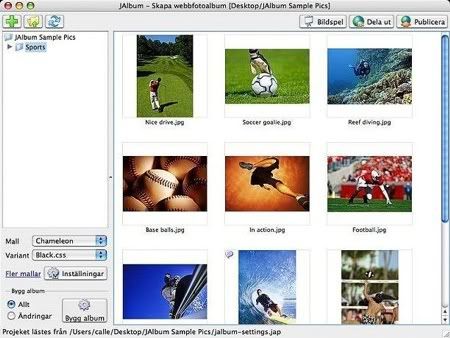
    JAlbum 8.0

    JAlbum 8.0

    JAlbum allows you to create nice-looking photo galleries for the Web. You simply select or drag and drop folders containing images or movie files onto JAlbum, and it creates thumbnails and HTML pages to publish your images as a gallery or as a picture slide show. The galleries are based on various templates, and their appearance can be further customized by advanced users. The application’s additional features include support for IPTC/EXIF data, style sheets, lossless image manipulation, pluggable image filters, and a built-in FTP/SFTP client.

    Version 8 adds full drag and drop support, image-editing tools, faster image scaling, and many other new features and fixes.

    Overview | Download

    Free PC Graphics Software

    In a previous post I gave you a list of 85+ Free Killer Resources Every Designer Should Know, which had a great response. Now, in the same line, I have smashed 45 Freeware Design Programs among literally thousands and thousands. It was a great quest, and it was worth it.

    No, it won’t replace your fancy CS3, nor Flash, nor 3D Studio Max.
    (Remember, we are getting something for nothing :)

    There is a lot of FREE graphics Software out there for the PC. And I mean LOTS!!! So here is a extensive list of the free software for all you from me, Geronimo Rubio. Enjoy my friend, Peace.

    Image editing

    The GIMP 2.2.13

    The Gimp

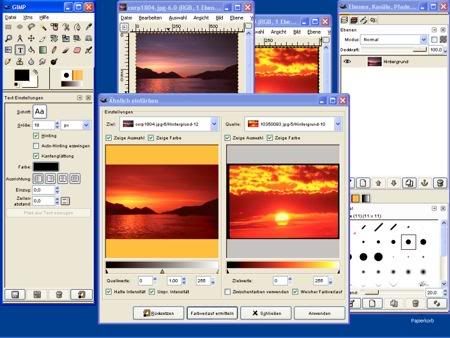
    GIMP is an acronym for GNU Image Manipulation Program. It is a freely distributed program for such tasks as photo retouching, image composition and image authoring.

    It has many capabilities. It can be used as a simple paint program, an expert quality photo retouching program, an online batch processing system, a mass production image renderer, an image format converter, etc.

    GIMP is expandable and extensible. It is designed to be augmented with plug-ins and extensions to do just about anything. The advanced scripting interface allows everything from the simplest task to the most complex image manipulation procedures to be easily scripted.

    http://www.gimp.org

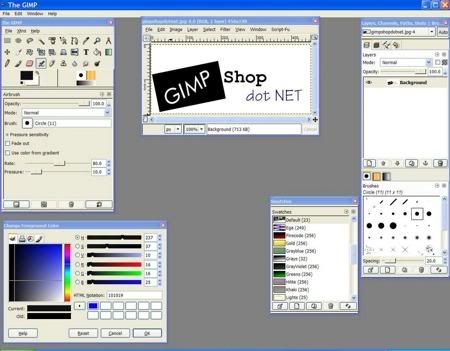
    GIMPshop 2.2.8

    The Gimp Shop

    GIMPshop is a modification of the free/open source GNU Image Manipulation Program (GIMP), intended to replicate the feel of Adobe Photoshop. Its primary purpose is to make users of Photoshop feel comfortable using GIMP.

    It shares all GIMP's advantages, including the long feature list and customisability, while addressing some common criticisms regarding the program's interface: GIMPshop modifies the menu structure to closely match Photoshop's, adjusts the program's terminology to match Adobe's, and, in the Windows version, uses a plugin called 'Deweirdifier' to combine the application's numerous windows in a similar manner to the MDI system used by most Windows graphics packages. While GIMPshop does not support Photoshop plugins, all GIMP's own plugins, filters, brushes, etc. remain available.

    http://www.gimpshop.com/download.shtml

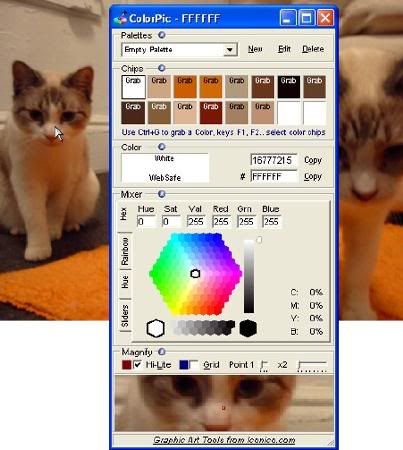
    ColorPic 4.0

    ColorPic

    Ever tried using a color picker on a high resolution monitor? It's impossible. That's why this color picker has a magnifier attached. Grab palettes of up to 16 colors at once and use four advanced color mixers to select a spectrum of possibilities.

    Version 4 is now available, with the following features:

    • Easily pick any color from the screen
    • Totally 100% Free!
    • No popup adverts or spyware, it really is free
    • Colors shown in hex and decimal
    • Adjust Hue, Saturation, Value, Red, Green and Blue values
    • Cyan, Magenta, Yellow and Black percentages shown
    • Easy to use with any other program
    • Resizable magnification area
    • Overlay a grid for quick colorpicker alignment
    • Use arrow keys to nudge mouse pointer
    • Save multiple palettes of colors automatically
    • WebSafe Colors and names displayed
    • Snap to nearest WebSafe color
    • Point sample, 3x3 or 5x5 pixel color sampling
    • Adjust color with four advanced color mixers
    • Edit colorpicker values after selection easily
    • Easy to use collapsible sections
    • Works with Firefox, Internet Explorer, Photoshop and any other application

    http://www.iconico.com/colorpic

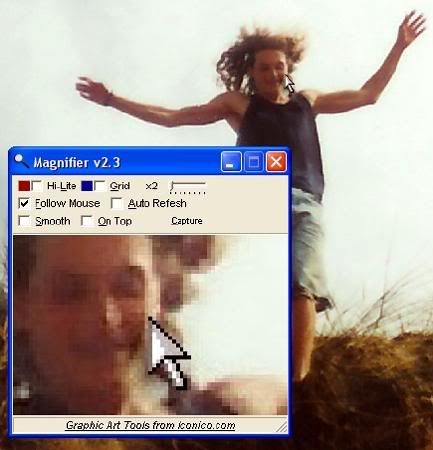
    Magnifier 3.0

    Magnifier

    Ever needed to see what's going on the screen down to the pixel level? That's where the Magnifier comes in. Simple and easy to use, the Magnifier is always handy for when you need to see all the details. Magnifier has the following features: no popup adverts or spyware, easy to use with any other program, resizable magnification area, adjustable zoom factor, overlay a grid.

    http://www.iconico.com/download.aspx?app=Magnifier&type=free

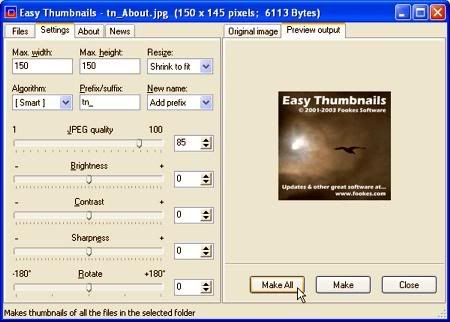
    Easy Thumbnails 2.91

    EasyThumbnails

    Easy Thumbnails is a popular free utility for creating accurate thumbnail images and scaled-down/up copies from a wide range of popular picture formats. An elegant interface makes it a snap to find your images and select them for processing individually, in groups, or in whole folders, using a simple file selector and built-in image viewer. You can use slider controls to rotate images and adjust their contrast, brightness, sharpness and quality, and check out the results with the built-in viewer.

    Features:
    - Scale images up or down in batches
    - Eleven resampling filters, including Lanczos3
    - Sharpen soft images from digital cameras
    - Real-time preview of target image
    - Supports the new JPEG 2000 image format
    - Preserves EXIF data in JPEG images
    - Supports lossless JPEG rotation
    - Free software producing quality results

    http://www.tucows.com/preview/194953#MoreInfo

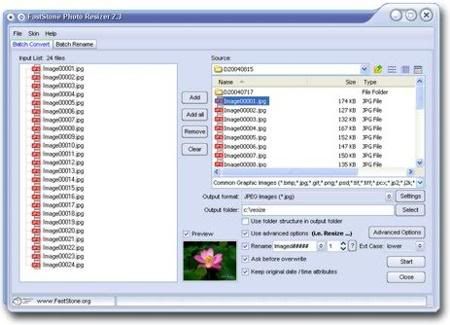
    FastStone Photo Resizer 1.4

    FSResizerScreenShot

    FastStone Photo Resizer 2.8 Freeware (Last Update: 2008-12-23)

    An image converter / resizer intended to enable users especially digital camera owners to convert, rename, resize, crop, rotate, change color depth, add text and watermark to images in a quick and easy BATCH mode.

    http://www.faststone.org/FSResizerDownload.htm

    Ilustration

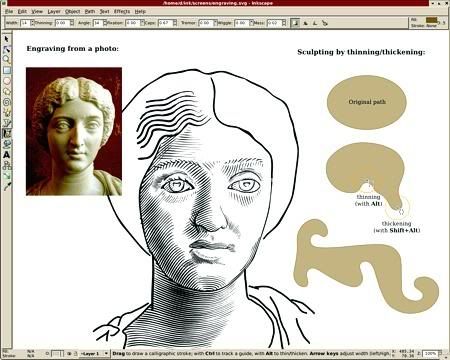
    Inkscape 0.45

    inkscape
    Inkscape is an Open Source vector graphics editor, with capabilities similar to Illustrator, Freehand, CorelDraw, or Xara X using the W3C standard Scalable Vector Graphics (SVG) file format. Supported SVG features include shapes, paths, text, markers, clones, alpha blending, transforms, gradients, patterns, and grouping. Inkscape also supports Creative Commons meta-data, node editing, layers, complex path operations, bitmap tracing, text-on-path, flowed text, direct XML editing, and more.

    http://www.inkscape.org

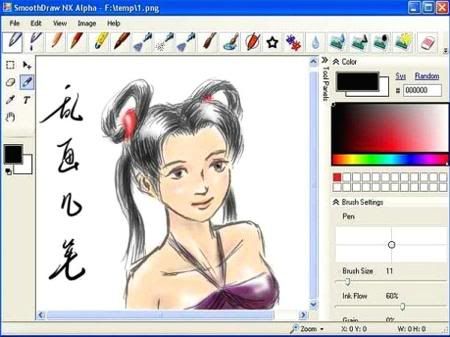
    SmoothDraw NX

    SmoothDraw

    SmoothDraw NX is an easy yet powerful freehand drawing tool. It’s a limited yet free version of SmoothDraw. It produces the most smooth and expressive stroke through your tablet. It also smoothes mouse input for who don’t have a tablet.

    http://www.smoothdraw.com/product/freeware.htm

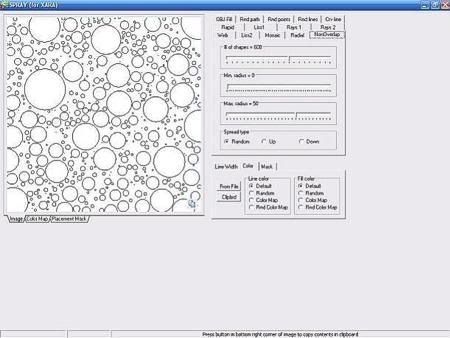
    SPRAY vector generator 0.1

    Spray

    SPRAY vector generator is intended to produce helper objects for vector illustration software like Xara X, Corel Draw, Adobe photoshop. You can easily generate huge number of circles with random position, fill, outline color; random paths, grids, and rays. You can place generated objects thru clipboard at your favorite illustration app. Developed for Xara X but also works with Corel Draw or Adobe Illustrator.

    http://www.download.com/SPRAY-vector-generator/3000-2191_4-10623895.html

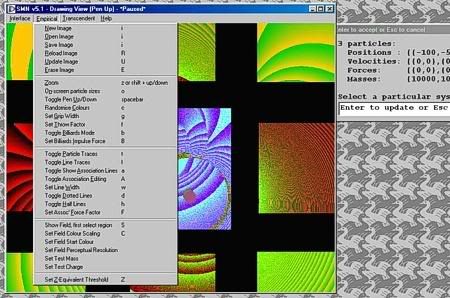
    SMN v5.1 ParticleDraw

    ParticleDraw

    ParticleDraw is a novel windows drawing program powered by a state of the art general system simulation engine. The brushes are dynamic systems of particles with interesting behaviours, which you can completely customise. Each brush is intricately tuneable with many underlying physical parameters and one can construct arbitrary systems of particles and use these as brushes.

    http://www.anandavala.info/TASTMOTNOR/code/v5.1/ParticleDraw/SMNPD5_1.html

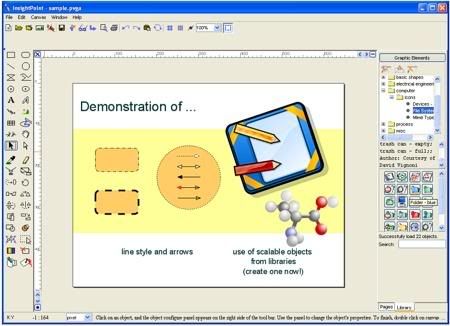
    InsightPoint 3.2.5.2

    InsightPoint
    InsightPoint creates sophisticated illustration and layout for Web and print. When it comes to spell out and share your ideas, in text and in graphics as well, InsightPoint is the fastest and easiest way to get you there. Built on top of XML technologies, comprehensive object-oriented vector design tools, trivial learning curve, and smooth drawing experience.

    http://www.icytec.com

    Authoring Tools

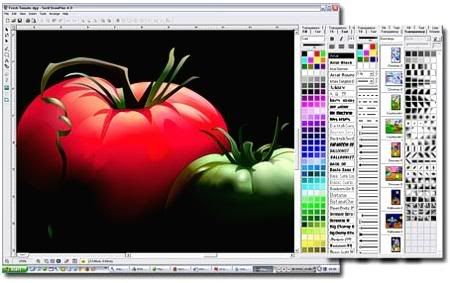
    Serif DrawPlus 4.0

    Unleash your creativity with Serif’s powerful drawing and graphics software - at no cost! You’ll be amazed how easy it is to create high quality graphics and animations without having to spend hours designing or pay for expensive training.

    http://www.freeserifsoftware.com/software/DrawPlus/default.asp

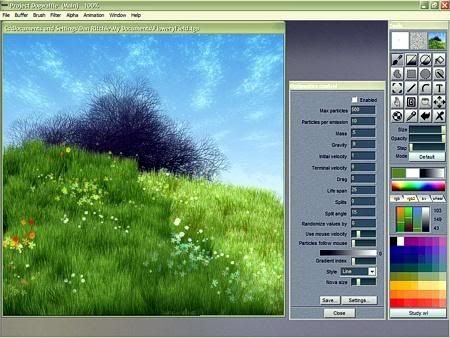
    Project Dogwaffle Free

    This is a free program for the PC developed in VB by special fx artist, animator & novelist Dan Ritchie and made available for free downloading and use (but not for resale without express written permission - please contact Dan if you wish to include a copy of his software with your commercial products). Any non-commercial distribution is fine; that includes placing it on cover CDs with magazines and books.

    http://www.thebest3d.com/dogwaffle/free

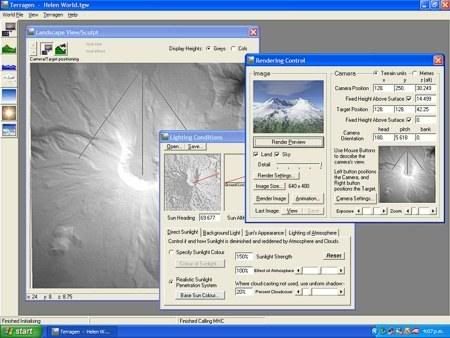
    Terragen 0.9.43

    Terragen

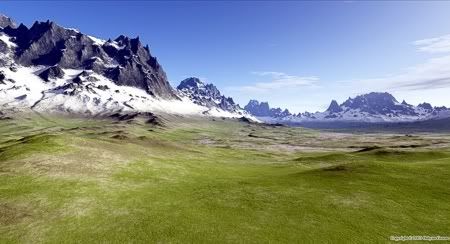
    Terragen is a scenery generator, created with the goal of generating photorealistic landscape images and animations. It is available for Windows and the Mac OS. At this stage in its development, Terragen is free for personal, noncommercial use.

    Although Terragen is a continually evolving work-in-progress, it is already capable of near-photorealistic results for professional landscape visualisation, special effects, art and recreation.

    http://www.planetside.co.uk/terragen/win/downloadwin.shtml

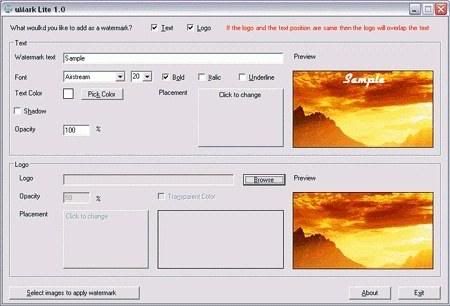
    uMark Lite 1.1

    uMark Lite enables you to add a text or image watermark to your digital photos. You can choose from 9 pre-defined watermark placements, set a custom font, size, and color, as well as opacity level. The freeware version can batch process up to 50 images in a single run. The watermarked images are saved in a new folder, so your originals remain unchanged. 50 images at a go, adds uMark Lite watermark.

    http://www.brothersoft.com/umark-lite-59551.html

    Animation

    Synfig Studio 0.61.05

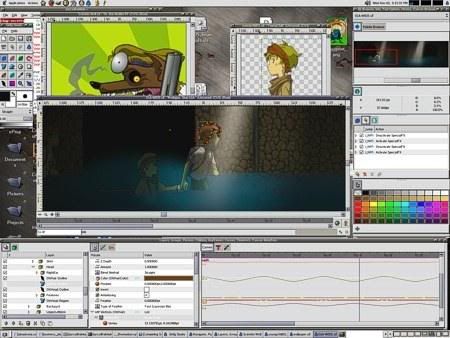
    Synfig Studio is a vector based 2D animation program. It is designed to be capable of producing feature-film quality animation. It eliminates the need for tweening, preventing the need to hand-draw each frame. Synfig Studio features spatial and temporal resolution independence (sharp and smooth at any resolution or framerate), high dynamic range images, and a flexible plugin system.

    http://synfig.org/Download

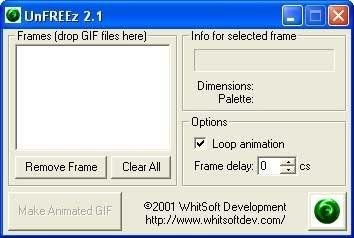
    UnFREEz 2.1

    UnFREEz is a high-speed Windows application that will take any number of images, saved as separate GIF files, and create a single animated GIF from those images. What makes this program unique from its competitors? First and foremost, UnFREEz is freeware, which means you may use it forever without paying a cent or feeling the slightest bit guilty

    http://www.whitsoftdev.com/unfreez

    3D Modeling & CAD

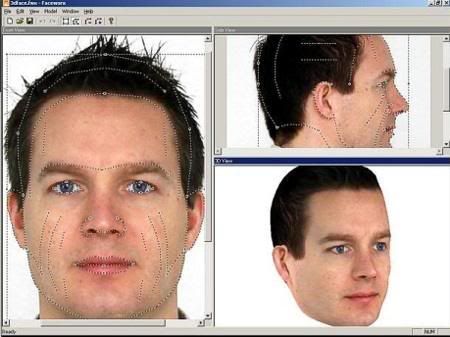
    LOOXIS Faceworx 1

    LOOXIS Faceworx creates a 3D head out of two standard 2D photos. You need two well illuminated pictures; one from the front (mugshot style) and one from the side.

    http://www.looxis.com/en/k75.Downloads_Bits-and-Bytes-to-download.htm

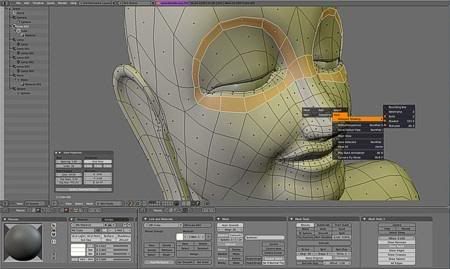
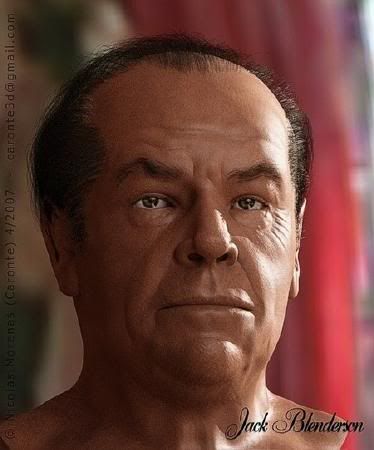
    Blender 2.44


    Blender is the open-source software for 3D modeling, animation, rendering, post-production, interactive creation and playback. It is available for all major operating systems under the GNU General Public License

    http://www.blender.org

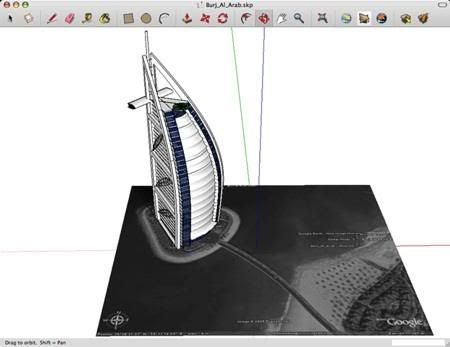
    Google SketchUp 6.0.277

    Google Scketch up

    Google SketchUp is a free, easy-to-learn 3D-modeling program with a few simple tools to let you create 3D models of houses, sheds, decks, home additions, woodworking projects, and even space ships. You can add details, textures, and glass to your models, and design with dimensional accuracy. . .

    http://www.download.com/Google-SketchUp/3000-6677_4-10257337.html

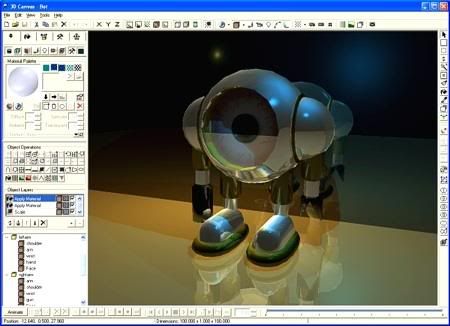
    3D Canvas 7.0.1.2

    3D Canvas

    3D Canvas is a real-time, 3D modeling and animation tool that incorporates a drag-and-drop approach. Complex models can be constructed from simple 3D primitives or created using 3D Canvas’s object-building tools. Creating an animated scene is as simple as positioning the objects within your scene for each point in time in your animation. 3D Canvas will ensure the resulting animation runs smoothly.
    Version 7.0.1.2 adds support for Windows Vista.

    Download

    http://www.download.com/3D-Canvas/3000-6677_4-10042921.html

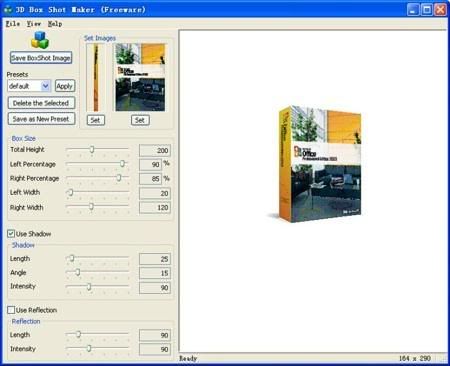
    3D Box Shot Maker

    3D Box

    3D Box Shot Maker is an easy and FREE tool to virtually design quality box shot as your software box cover. It is important to present a professional boxshot to attract your potential customers to take a closer look at your products. An impressive box shot will make your software outstanding, and easily defeat your competitors at the start.

    3D Box Shot Maker accepts a front image and a side image as input, and generate the final image on the fly. It can also include a shadow and a reflection in your box shot. It will show the preview image instantly as you adjust the size and other parameters.

    Three steps to get your own boxshot:
    1. Set the side(left) and the Front(right) images.
    2. Adjust the boxshot size, shadow and reflection.
    3. Save the generated boxshot image out as image file. It supports 4 image format: BMP, JPG, PNG, and GIF.

    Present your software box cover with 3D Box Shot Maker, the ultimate solution, electronically!

    http://www.bosseye.com/boxshot/index.htm

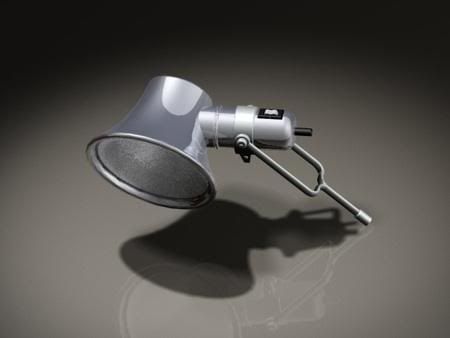
    Alibre Design Xpress 9.2 SP1

    Alibre Design Xpress

    Alibre Design Xpress 3D solid modeling software delivers the features you need to get started with 3D design and tackle projects for your business or workshop. Alibre Design Xpress is a rich and capable 3D solid modeler for creating parts, assemblies, and 2D drawings.

    http://www.download.com/Alibre-Design-Xpress/3000-6677_4-10666402.html

    Flash Tools

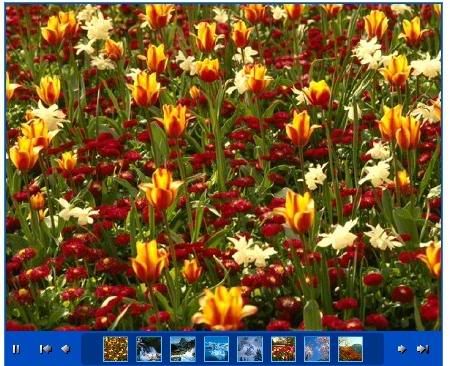
    Flash Slide Show Maker Professional 4.31

    Flash Slide Show

    Flash Slideshow Maker is an ultra slide show Flash tools that helps you display photo album and slideshows on your own web site. With dozens of preset themes, you can easily make XML driven photo galleries for website. Flash Slideshow Maker is a template based Flash authoring tool, you don’t need to know anything about XML or FLASH coding, there are only three simple steps to build a Flash photo slideshow. Each template can be customized, so the slideshow can easily be styled to match your own website design.

    Download

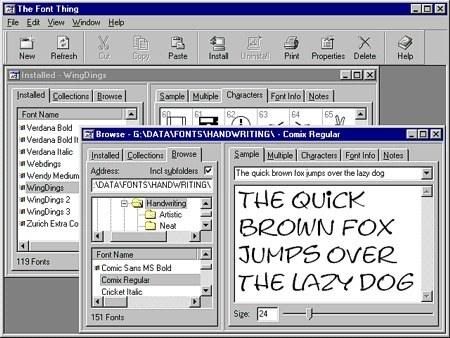
    The Font Thing 0.8

    The Font Thing

    Browse installed and uninstalled TrueType fonts, viewing sample text, individual characters, and detailed font information. Easy font-management functions let you install, uninstall, print, copy, or delete any number of fonts at once. You can even store your own notes with them, filter them according to type (serif, sans serif, and so on), and group them into collections for convenience. This version lets you choose your font colors, set up drop-down lists of standard text samples, rename font files to avoid conflicts, and load fonts temporarily for use without installing them.

    Download

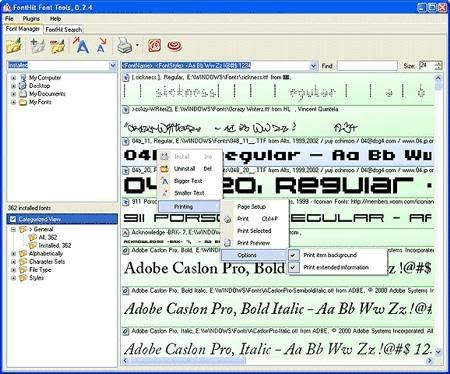
    FontHit Font Tools 0.2.5

    FontHit Font Tools

    FontHit Font Tools is a manager that allows you view, preview, install, uninstall, print in color, customize size and text of the previews, browse your hard drive for fonts, create your own folders that you can drag fonts into, convenient and automatic categorization, drag-n-drop to add font files (even folders and zip files with fonts) to the preview list, and character map. You can also search the Web for fonts and font-related Web pages

    Download